
Project Overview
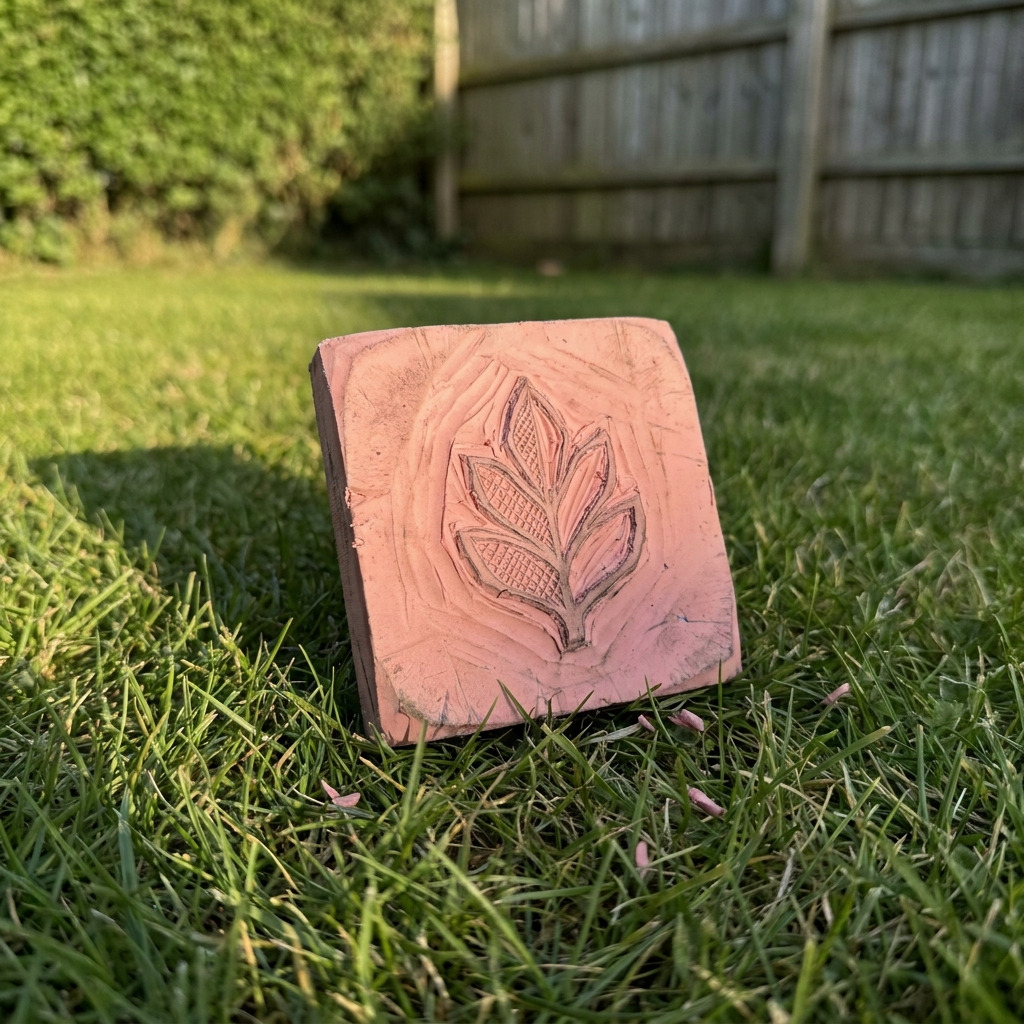
This project involves carving a unique design into a plain rubber eraser to create a custom rubber stamp suitable for card making, scrapbooking, or decorative labeling. The finished stamp will allow for repeated impressions of your design.
Project at a Glance
- Time required: Active working time: 1 to 2 hours; Total elapsed time: approximately 1 to 3 hours including drying time
- Difficulty level: Intermediate, specifically requiring precision carving skills
- Estimated cost: $10 to $25, depending on material choices and whether tools are owned
- Finished dimensions: Approximately 2.5 inches x 2.5 inches (or your desired size)
- Yield: One custom rubber stamp
HERO IMAGE PLACEHOLDER
[Descriptive image caption of the finished project]
Materials and Tools
Materials
- Plain rubber eraser: 1 piece, standard size (approximately 2.5 inches x 2.5 inches x 0.5 inches)
- Carving tools: 1 set, including a linoleum cutter or carving knife (with fine and broad tips)
- Stamp ink pad: 1, black or your choice of color
- Pencil: 1 for sketching designs
- Tracing paper: 1 sheet (optional, for transferring designs)
- Paper towel or cloth: 1, for cleaning
- Clear acrylic block (optional): for mounting the stamped design
- Sealant (optional): Easy-to-use acrylic sealer spray
Tools
- Carving knife or linoleum cutter: Includes various tip sizes for different detailing
- Cutting mat: To protect your work surface
- Ruler: 12-inch for accurate measurements
- Pencil: For sketching
- Scissors: For cutting out designs on tracing paper
- Tweezers (optional): For handling small pieces of rubber
- Safety gloves: Protects hands during carving if preferred
- Safety goggles (optional): To protect eyes from rubber particles
Instructions
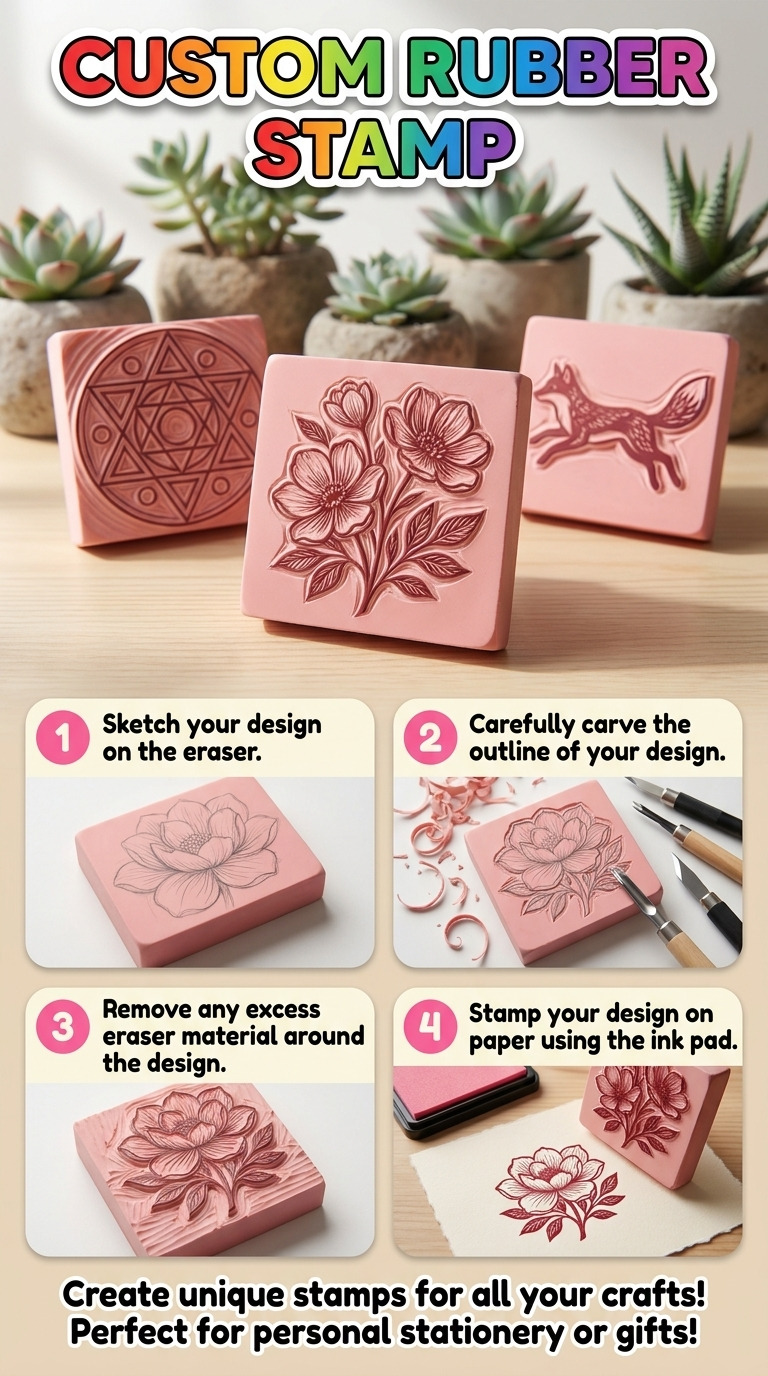
Step 1: Design your stamp
- Use a pencil to sketch your desired design directly onto the eraser. Ensure lines are simple and bold, making intricate details easier to carve.
- Alternatively, use tracing paper to sketch the design, then transfer it onto the eraser by rubbing the back of the traced paper with a pencil.
Step 2: Secure your eraser
- If desired, use a clamp to fix the eraser to your cutting mat. This will help prevent movement during the carving process.
Step 3: Carve the design
- Begin with the outline using a linoleum cutter or carving knife. Carefully follow the sketched lines, applying enough pressure to cut through the eraser without going too deep into the material.
- Remove excess rubber around your design, ensuring the design is raised and distinct.
Step 4: Refine details
- Use the smaller tips of your carving tools to carve intricate details within your design.
- Periodically clean off rubber shavings with a paper towel or cloth to maintain a clear work area and visibility of your design.
Step 5: Test your stamp
- Once the carving is complete, apply ink to the stamp by dabbing it onto a clean ink pad.
- Press the inked stamp onto a piece of scrap paper to check for clarity and detail in the impression.
- Make any necessary adjustments by carefully carving away areas for clearer impressions.
Step 6: Finish your stamp (optional)
- If desired, spray a light coat of acrylic sealant over your carved stamp to enhance durability. Follow the sealant’s instructions for application.
Assembly & Finishing
- If you are using an acrylic block, securely adhere your carved eraser to it using a strong glue, such as E6000, or by using double-sided tape for a good grip.
- Allow any adhesive to cure completely, which generally takes about 24 hours for E6000 adhesive.
- Once cured, perform a final test stamp to confirm that the design transfers well.
Measurements & Dimensions
- Finished dimensions of the stamp: Approximately 2.5 inches x 2.5 inches x 0.5 inches
- Size of the design area: Should ideally not exceed 2 inches x 2 inches to achieve the best stamping results.
Timing Information
- Estimated active working time: 1 to 2 hours, inclusive of designing and carving the stamp
- Drying/curing time (if sealing): 15 minutes for initial adhesion, 24 hours for complete cure of glue or sealant
- Total approximate time: 1 to 3 hours based on complexity and drying times
Troubleshooting and FAQ
Troubleshooting
The design is not clear when stamped. This can occur if the carving is not deep enough. Carefully carve deeper along the outline of the design to ensure clarity.
The eraser is tearing instead of carving cleanly. Ensure your carving tools are sharp. Replace any dull blades as they can cause tearing instead of cutting.
The stamp is not taking ink evenly. This may be due to uneven carving. Inspect the stamp surface and use a cutting tool to level any high points.
The stamp leaves rubber residue. This is from not cleaning the surface adequately during carving. Clean off rubber shavings before testing or sealing the stamp.
Frequently Asked Questions
Can I use other types of rubber for a stamp? Yes, but soft rubber will provide the best results. Hard rubber may require more effort to carve effectively.
Will different inks work with this stamp? Yes, various ink types can be used, but ensure they are suitable for rubber stamps to prevent smudging.
Can I carve multiple stamps from one eraser? Yes, you may cut the eraser into smaller sections and carve separate designs, but make sure each piece is at least 1.5 inches x 1.5 inches for optimal stability.
How should I care for my stamp after use? Clean the stamp with warm soapy water and avoid using harsh scrubbing methods on the carved surface to maintain its quality.
Save This Guide
Save this guide to Pinterest for reference while you build your custom rubber stamp, including key measurements, timings, and troubleshooting tips. Contribute any corrections or alternatives you discovered, so the guide remains accurate and helpful.
Leave a Reply